
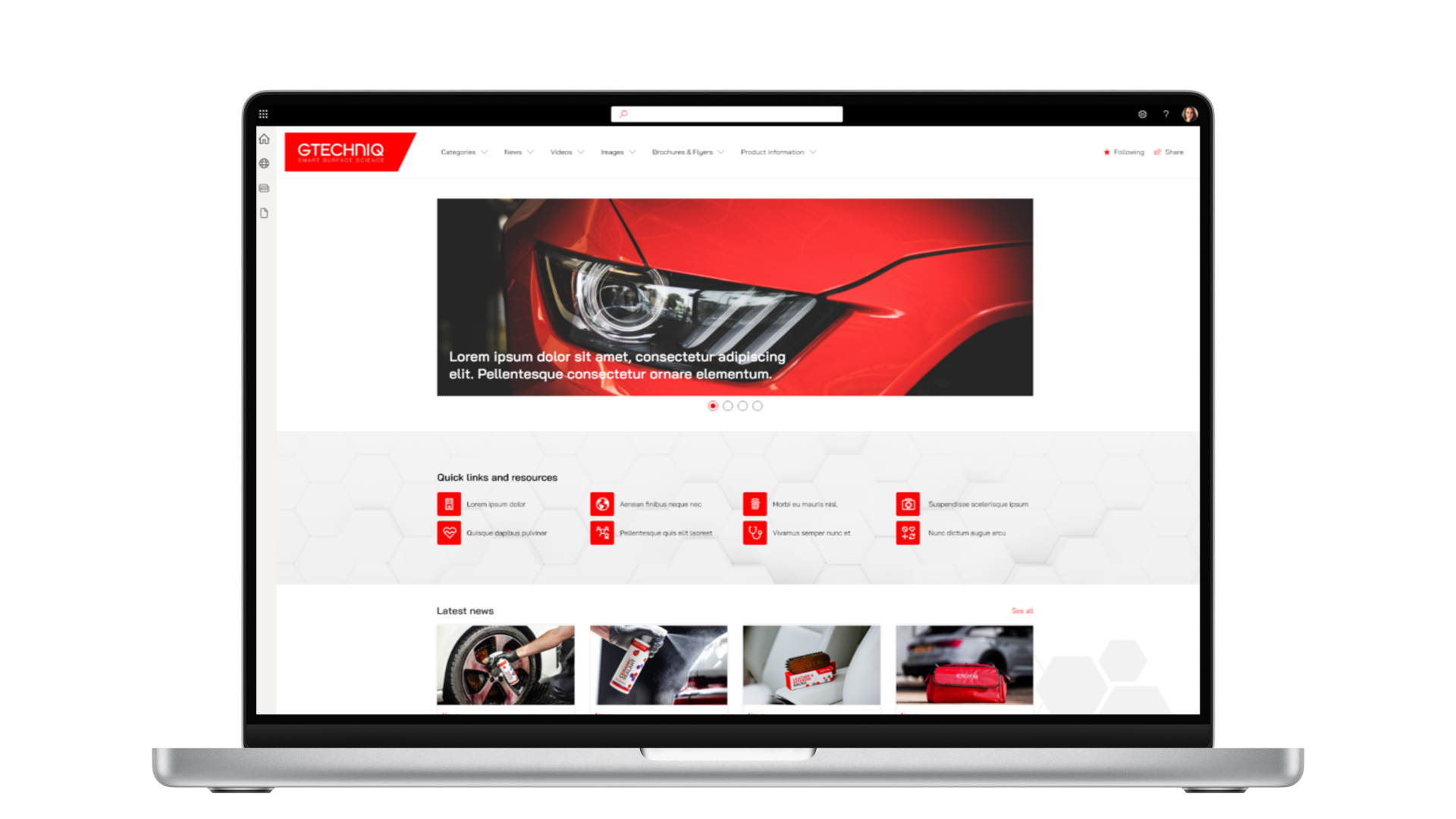
Summary
Gtechniq formulates ceramic coatings and surface care products for cars, boats and bikes, sold through a global network of distributors. Those distributors rely on Gtechniq's approved marketing assets to promote the brand, and while plenty of that content existed on SharePoint, distributors struggled to find it: the experience was a flat list of files with no visual browsing and no meaningful structure. We worked with Gtechniq to reshape that existing SharePoint foundation into a structured marketing resources portal, with thumbnail browsing, search built on tags and categories, and group-based access controls for an external audience. Approved assets are now easier to find and download, and the Gtechniq team manages the portal themselves.
The challenge
The problem Gtechniq brought to us was not a content problem. It was a findability problem.
The business already had a wide range of marketing materials: news, product images, photography and product information sheets across multiple categories. The content existed and it was on SharePoint. But distributors were regularly asking where to find things, and the most common complaint was that assets were hard to locate. What they saw was little more than a flat list of files, with no thumbnail view, no meaningful taxonomy and no easy way to browse by relevance.
That mattered for a very practical commercial reason. Gtechniq operates through a broad distributor ecosystem, and those distributors work with multiple brands. Whichever brand makes its content easiest to access gains an advantage. A distributor who can find and download the right asset in a couple of minutes is far more likely to use it than one who has to email head office and wait.
Gtechniq needed a partner that could:
- restructure the existing SharePoint environment into a purposeful, browsable portal rather than a file store
- introduce search, tagging and taxonomy so users could find assets by category and relevance rather than file name
- put appropriate permissions and access controls in place for an external user base
- create an experience intuitive enough that distributors could use it confidently without training
Does this sound familiar? If your organisation has good content that people struggle to find, talk to our team about the structure that would fix it.
The approach
We worked with Gtechniq through a structured discovery and build process, beginning with scoping and requirements gathering before moving through design, taxonomy setup, implementation and launch.
Why start with discovery and taxonomy?
Because in my experience findability problems are rarely just search problems. They are structure, metadata, permissions and presentation, and if you only fix one of those the portal still feels hard to use. The discovery work focused on understanding the different user groups involved: internal teams, distributors and external audiences across different product categories, and what each of them actually needed from the portal. That fed into recommendations on information architecture, search configuration and the visual browsing experience, all reviewed and agreed with Gtechniq before build began.
The order matters. If the taxonomy reflects how assets were historically stored rather than how distributors look for them, no amount of design polish will rescue the experience. So we settled the structure first and built to it.
After launch we stayed involved through testing and practical follow-up, including training the internal team on content tagging, keyword management and guest access, so they could manage the portal confidently without depending on us for routine updates.
What was delivered
The project delivered a structured marketing resources portal built on SharePoint, designed around the needs of a distributed external audience rather than internal employees.
- A visual, browsable portal. The portal moved away from a basic file-list model toward thumbnail views and categorised content. In practice this means a distributor can see what an asset is before opening it, and browse a category the way they would a product catalogue rather than scrolling a directory.
- Search built on tags, keywords and categories. Search works across keywords, tags and categories rather than just document titles. In practice, a distributor does not need to know what a file is called to find it; they only need to know what they are looking for.
- Navigation shaped around products and audiences. Navigation and search were built around the product categories and audience types Gtechniq works with, so distributors reach relevant material directly instead of hunting through folders that reflect internal history.
- Support for every content type distributors use. The structure supports product photography and imagery, product information sheets, news and new product launch communications, and social media assets including video. In practice that gives distributors one place to go, whatever they are producing.
- Permissions designed for an external audience. With external users involved across multiple markets, controlling who could see and download which assets required a deliberate approach to group-based access and verification. This is where much of the quiet effort in a project like this sits: an external portal is only as good as the confidence you have in who can reach what.
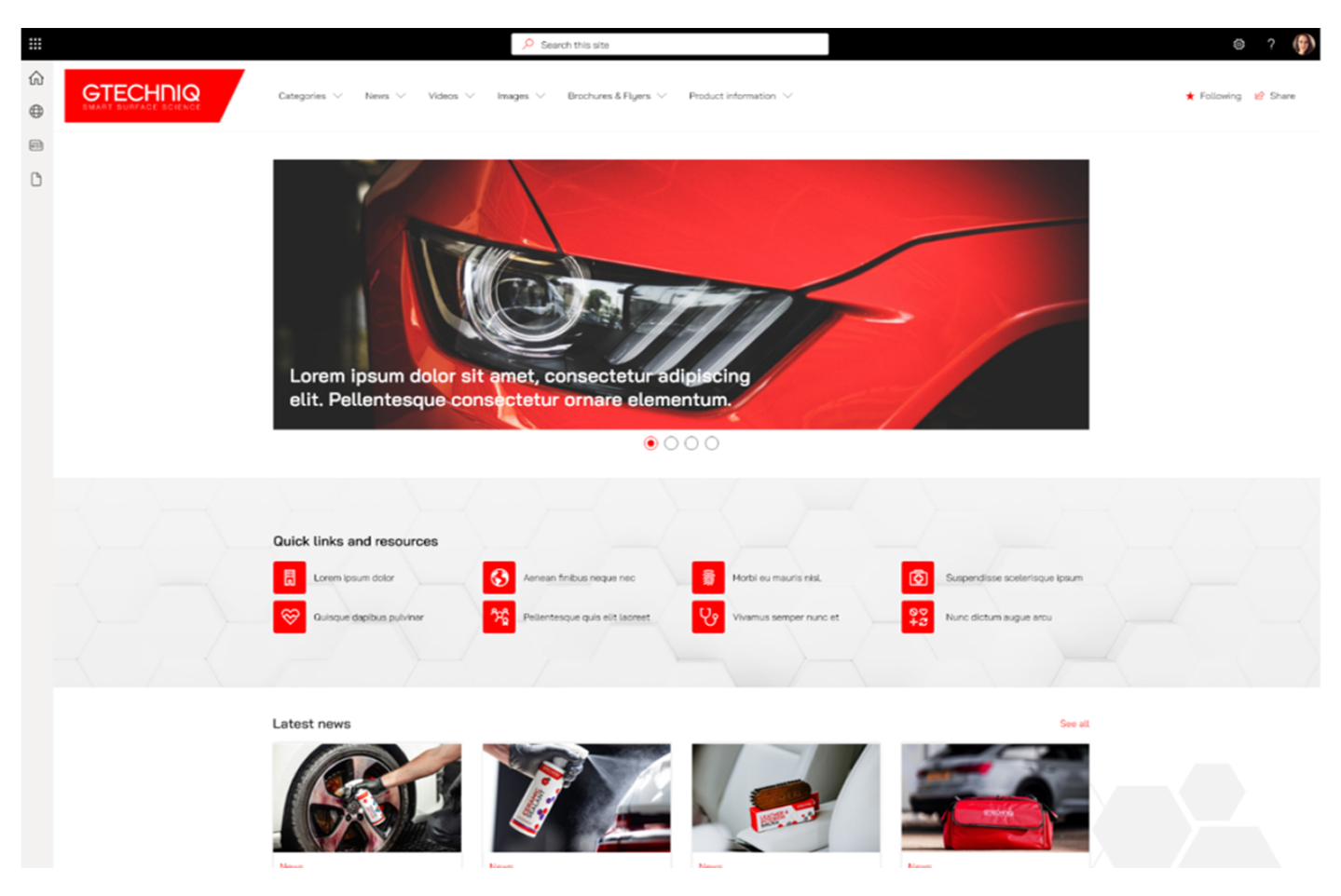
This is a concept design created to illustrate the finished portal, not a live screenshot of the site.
Curious how an enhanced assets portal could work in your business? Explore our SharePoint consultancy services.
In their own words
"They took our existing SharePoint, which was decidedly average, and worked their magic to create an out-of-the-box solution that gives the site a more premium feel."
Dominik Berry, Head of Marketing, Gtechniq
Why it mattered
For Gtechniq's distributors, the value is straightforward. Approved assets became easier to find and download, which removes the back-and-forth of asking internally where things live.
For Gtechniq, the value runs broader. A more structured and governed portal gives the business better control over what distributors are accessing and using. Approved, up-to-date assets are more likely to reach the market accurately, and new product launch materials can be communicated and distributed through a single, organised environment rather than through ad-hoc email or file sharing.
The cost of leaving a problem like this unaddressed is quiet but real. Distributors default to whichever brand's materials are easiest to reach, and out-of-date assets keep circulating because the current ones are too hard to find.
The work also left the internal team in a stronger position to run the portal themselves. Post-launch support covered tagging, keyword management and access administration, which means the team understands how the platform works and can keep it current without external help for routine updates. The portal launched to immediate interest, with distributor sign-up requests arriving on day one. You can see more examples of this kind of work in our SharePoint intranet designs gallery.
Want to know more about the team behind projects like this? Learn more about Content Formula.