When we first wrote about choosing a SharePoint consultancy in 2023, our advice centred on technical depth, the different versions of SharePoint still running in many organisations, and whether a partner understood where Microsoft Viva was heading. Much of that still holds, but these days organisations aren’t asking about Viva. Many of the conversations I join now start with Copilot, or with a SharePoint intranet the internal team struggles to keep current, rather than with details of a specific request for a new build..
We’re a SharePoint consultancy, so we have an obvious interest in how you make any decision. I’ve tried to write a checklist of the things I’d want a buyer to apply to us as much as to anyone else, including the questions that tend to show whether a proposal will hold up once the work actually starts.
In summary
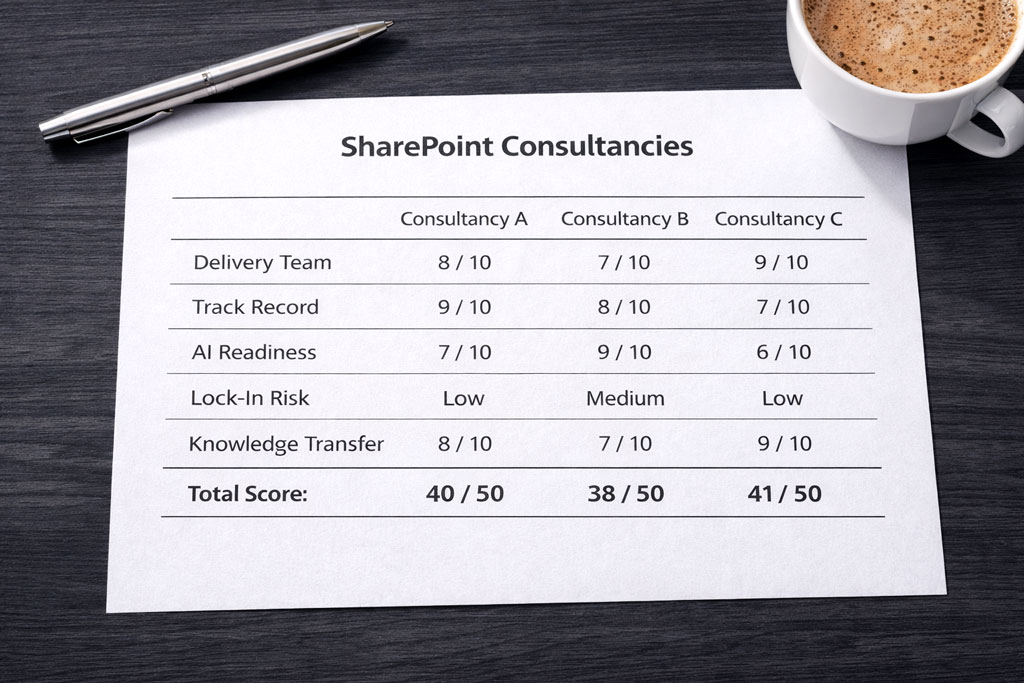
To choose a SharePoint consultancy, first be clear whether you need advice, a defined project or ongoing support. Then shortlist firms with depth across SharePoint and Microsoft 365, a track record you can check through references, and a delivery team you meet before you sign. In 2026 it’s also worth asking how they would prepare your content and permissions for Copilot, whether their recommendations tie you to proprietary components, and how they will leave your own team able to run the platform.
Start with what you’re actually buying
It sounds obvious, but buyers often go to market with a mix of needs and end up comparing proposals that answer different questions. SharePoint consultancy work usually takes one of a few shapes: advice or a second opinion, a discovery or information architecture phase, a build or migration project, or ongoing support and a pool of hours to draw on as needs come up.
Being clear which of these you need will dictate who should be on your shortlist. A firm that is excellent at large migrations may not be the right partner for a comms team improving an existing intranet, and the reverse is also true. Where the scope is uncertain, a short, fixed-scope discovery phase project is usually a safer first commitment than a full programme of work. We’re also seeing buyers ask for a proof of concept or a phased engagement before committing to everything, particularly where AI is part of the brief.
What to look for in a SharePoint consultancy
These are the criteria I’d use to ask the right questions and build a shortlist. Some will matter more than others depending on what you’re buying, but a good consultancy should be comfortable being tested on all of them.
Depth across SharePoint and the wider Microsoft 365 estate
SharePoint projects are rarely only about SharePoint. Decisions about sites, permissions and structure touch Entra ID (formerly Azure Active Directory), Teams, the Power Platform and, increasingly, Copilot. Knowledge about the wider Azure environment can also be important. A good consultancy understands what SharePoint does well out of the box, where configuration is enough and where development is justified, and can explain that trade-off in terms your stakeholders will follow.
If you still run SharePoint Server on-premises alongside SharePoint Online, check that experience specifically. It is less common in newer consultancies, and any migration plan depends on it.
An understanding of people, not only the platform
If the project is about communication or sharing knowledge such as an intranet, a document management environment or a knowledge hub, then the technology is often the most straightforward part. These sites need to be designed for employees. Look for evidence of user and stakeholder research, information architecture methods such as card sorting and tree testing, an appreciation of the governance required, and a clear approach to adoption and change. Delivering for employees is different from building a website: there are more stakeholders, a longer life after launch and more ways for a well-built site to go unused.
“Building an intranet or knowledge platform requires a solid understanding of how employees work and their pain points. User research and testing is absolutely critical to create a solution that is actually going to be help employees in their day-to-day work and get used.”
John Scott, UX director, Content Formula
A track record you can check
Case studies are a reasonable starting point, but every firm chooses which ones to show. Ask for work in your sector or with organisations of a similar size, read independent reviews, and ask for a reference you can speak to independently; ideally, this should be a client who has worked with the consultancy for a few years rather than one who has just launched. Sector experience tends to come up early for good reason, particularly in regulated industries where governance expectations are higher.
It is also worth asking a reference why they chose the firm, not only how the project went. Several of the reviews we’ve received mention being let down by a previous supplier before coming to us, which is why I’d always ask what went wrong before as well as what went right.
The people who pitch are the people who deliver
In larger firms it is common for senior people to win the work and a different team to deliver it, and a few months in you can find yourself explaining your organisation to someone who wasn’t in the room when the key decisions were made, or who has less solid experience than you were expecting. I appreciate the economics of a bigger firm often push that way, but the client usually pays for it later in the project.
The simplest check is to ask to meet the consultants who will do the work before you sign, and to ask who will still be on the project at launch. In our own recent engagements, clients have met the technical and UX leads in the second conversation, before anything was quoted If a firm is reluctant to arrange meetings with key members of the project team, it tells you something.
Recommendations that don’t lock you in
Ask what happens to your environment if you stop working with the consultancy. Custom development, third-party web parts and add-on products are all viable solutions, but each one creates a dependency that should be weighed up rather than discovered later. What happens with support and maintenance? Is there a documented exit process for a client?
Last year we saw a client’s own reviewer assess a third-party web part product, and the questions they set out apply to almost anything a consultancy proposes: does it work with Copilot’s page creation, can branding be changed centrally or only component by component, who supports it when a Microsoft update breaks something, how much retraining does it need, and what do equivalent options cost?
For transparency, we build an in-a-box intranet product ourselves, Lightspeed365, so this is a question you should ask us too. It is built natively on SharePoint, and you should expect any consultancy to answer the same question plainly for whatever it recommends.
Clear about what they don’t do
A consultancy that claims to cover everything in Microsoft 365 is worth scrutinising. Licensing, tenant security, records management and compliance, devices and infrastructure are specialist areas in their own right. A good SharePoint consultancy will tell you early which parts of your brief sit outside its expertise and who is better placed to help – and occasionally that your internal team can handle it without outside help at all. It’s also worth checking whether any particular specialist or niche areas of expertise are covered by associate consultants rather than directly; that’s not necessarily a problem, but it is important to have clarity.
They leave capability behind
A good engagement leaves your team able to run the platform without calling the consultancy for every change. Ask what training is included for administrators, site owners and content editors, whether knowledge transfer is part of the plan or an extra, and what documentation you will own at the end. One recent brief we received put governance, contextual training and regular clinics for the comms team at the centre of the project, so that the team could manage the intranet themselves.
Microsoft partner status – useful, but not the whole story
Partner status confirms a firm is part of Microsoft’s partner programme, which is a sensible baseline. The programme has changed several times; the old Gold and Silver tiers were replaced by Solutions Partner designations, so ask which designation or specialisation a firm holds and whether the consultants on your project hold relevant certifications. Partner status is not everything; it tells you about capabilities and reflects technical experience, but it doesn’t tell you how a firm works with its clients.
Is AI readiness now part of choosing a SharePoint consultancy?
Yes, a SharePoint consultancy should understand AI readiness. Copilot and agents draw on the content and permissions already in your Microsoft 365 environment, so the state of your SharePoint structure now affects what AI can answer well and what it might surface that it shouldn’t. That makes an appreciation of issues around AI readiness a reasonable test for any SharePoint consultancy, even if AI isn’t in your immediate plans.
In one recent conversation, a client described departments creating their own SharePoint sites without central direction, alongside plans to bring AI into their intranet. Ask a consultancy how it would approach that before switching Copilot on: how it would assess structure and ownership, what it would tidy first, and how it would keep things in order afterwards. My own view is that it is far easier to put the foundations right before AI is switched on than to fix them afterwards.
It is also worth asking what a firm means by AI readiness. For some it means security and data governance; for others, including us, it also means content, structure and ownership. Both matter and they are often delivered by different specialists, so be clear which one you are buying. Our Copilot consulting page sets out where we focus.
“AI readiness is as much about content and permissions as it is about data governance. Turn on Copilot when you have items in SharePoint that are out of date or don’t have the appropriate permissions and you’ll find you’re oversharing sensitive documents or providing answers to employee questions that are completely wrong.”
Joe Perry, Technical director, Content Formula
Should you choose a large firm, a specialist or a freelancer?
Each can be the right choice, and many organisations use a mix. The table sets out where each one tends to fit.
| Option | Tends to suit | Watch out for | Worth asking |
|---|---|---|---|
| Large consulting firm | Large programmes spanning many systems, Microsoft and otherwise, where one supplier needs to coordinate everything. | SharePoint may not be the firm's main focus; the pitch team and the delivery team can differ. | Who will work on our project day to day, and what SharePoint work have they led? |
| Specialist SharePoint consultancy | Intranets, information architecture, migration and adoption, where depth in SharePoint matters most. | Less capacity and breadth - security, licensing and infrastructure may sit outside its scope. | What is outside your scope, and who do you work with for it? |
| Freelance consultant | A defined piece of expert advice, a review or a second opinion alongside an in-house team. | A single point of failure, and limited capacity for a full build. | What happens if you are unavailable, and who else would be involved? |
Where SharePoint is the heart of the project, depth usually matters more than breadth.
Questions to ask a SharePoint consultancy before you sign
These are the questions that tend to separate a well-considered proposal from a polished one:
- Who will work on our project day to day, and can we meet them before we sign?
- What similar work have you done, including in our sector, and can we speak to a client from it?
- How will you find out what our employees actually need?
- What would you recommend we don’t build?
- What will our team be able to do without you at the end, and how will you get us there?
- If you recommend custom development or third-party components, what happens when Microsoft updates the platform, or if we stop working with you?
- How would you prepare our content and permissions for Copilot?
- What is outside your scope, and who would you bring in for it?
- How do you scope and price the work, and what happens if the scope changes?
Red flags in a SharePoint consultancy proposal
None of the below rules a firm out on its own, but each point is worth following up on:
- A fixed price before anyone has understood the problem. A number produced without scoping is an estimate, and the difference usually shows up later as change requests.
- A team you haven’t met, or names that change between pitch and contract.
- No mention of research, training or adoption in a project aimed at employees.
- A single option presented as the only route, with no discussion of what could be phased or left out.
- Heavy reliance on proprietary components without a clear answer on support, updates and exit.
- A claim to cover everything in Microsoft 365 without naming any partners or limits.
Choosing the right partner
Choosing a consultancy is as much about the working relationship as the technical capability, and the most reliable way to test both is to talk to the people involved. If you would like to put these questions to us, you can meet the SharePoint consultants you would work with and see how we answer the usual checks. If you are further along, [get in touch to discuss your project – and if you think we have missed something from this list, we would like to hear that too.

Google review
Stood out from the others immediately

Toby Atkins
IT Manager
Valeo Foods
Frequently asked questions
How much does a SharePoint consultancy cost?
It depends on the shape of the work rather than a standard rate. Most consultancies price either a fixed fee project once the scope is understood, or a block of hours drawn down over a set period. When comparing costs, compare the assumptions behind each figure including scope, phases, training and who is named. Always be cautious of a fixed price given before any scoping.
Should I choose a large consulting firm or a specialist SharePoint consultancy?
Choose a large firm when SharePoint is one part of a wider programme that needs a single supplier across many systems. Choose a specialist when SharePoint is the heart of the project and depth in information architecture, migration, adoption or the type of project such as an intranet, matters most. In either case, meet the people who will deliver the work before you sign on the dotted line.
What should a SharePoint consultancy proposal include?
A good proposal sets out the scope and its assumptions, the phases, named team members, what training and knowledge transfer are included, how change is handled and what is outside scope. Options at different levels of scope are a good sign, because they show the firm has thought about priorities rather than pricing a single route.
Do I need a Microsoft partner for a SharePoint project?
It is a sensible baseline rather than a guarantee. Partner status shows a firm is part of Microsoft’s partner programme, but it is more useful to ask which designations or specialisations it holds, whether the consultants on your project are certified, and to speak to a client reference.
Should AI readiness be part of a SharePoint consultancy brief?
Yes, even if AI isn’t in your immediate plans. Copilot draws on the content and permissions already in SharePoint, so structure, ownership and permissions affect what it can answer. Ask how a consultancy would assess and tidy these before AI is switched on, and whether it covers the content side, the security side or both.

Joe Perry
With Content Formula since 2014, Joe leads the technical architecture across SharePoint, Azure, Power Platform, and Copilot. He’s the person who solves the problems nobody else can – whether that’s a complex migration, a workflow that needs rethinking, or a deployment architecture that has to work at scale. Pragmatic and process-led, Joe breaks complex operational problems into manageable steps and finds the most workable route through them.