Why start with a technical review of the existing spreadsheet?
The simplest approach with a project like this is not to start building. It is to take the existing spreadsheet apart first and work out exactly what it is doing before deciding how a Power App should do it instead. We ran a UX and technical review of Aurora’s current appraisal process, checked it against what Power Apps can realistically do out of the box, and used that to compile a high level technical plan. Aurora’s team reviewed and signed that plan off before any development started, and we ran a knowledge transfer session to answer the technical team’s questions about it.
That sequencing matters more than it sounds like it should. Once the plan was agreed, we built the SharePoint lists that would hold the data, then the Power Apps interface on top of them, followed by the Power Automate notifications.
The limitation here, is that a technical review can only surface what is visible in the spreadsheet’s structure. Some of Aurora’s scoring formulas turned out to be doing more work than they looked like they were doing once we were inside the build, so we took the time to validate and rebuild that logic properly rather than carrying it across as is. That is not a criticism of the review. It is simply what happens when years of formula changes have been layered into a single workbook by different people at different times, and it is exactly the kind of risk a spreadsheet carries that a properly structured app does not.
What was delivered
The resulting solution is a single Power Apps canvas app, backed by Power Automate and a set of SharePoint lists, built around the structure Aurora’s staff already knew from the old spreadsheet. In practice, that meant:
- one app, reachable through the same App Launcher, card link, or hub navigation Aurora’s staff already use for other tools, so appraisals sit inside the Microsoft 365 environment people already have open, rather than becoming another link to remember
- automatic sign-on that identifies each appraisee and their line manager from Aurora’s own Microsoft Entra profiles and iTrent HR data, so nobody has to search for the right form or the right person’s record before they can start
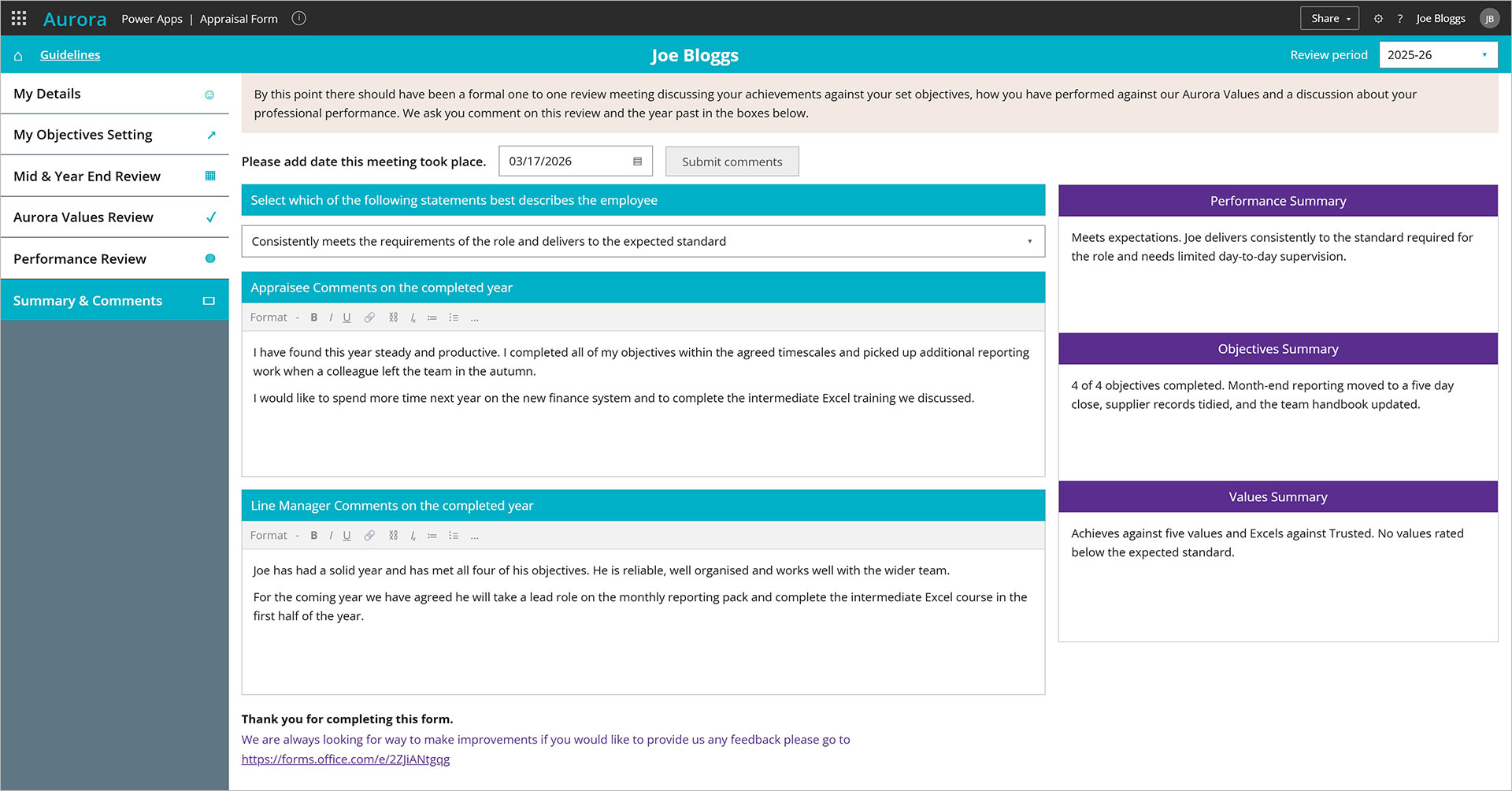
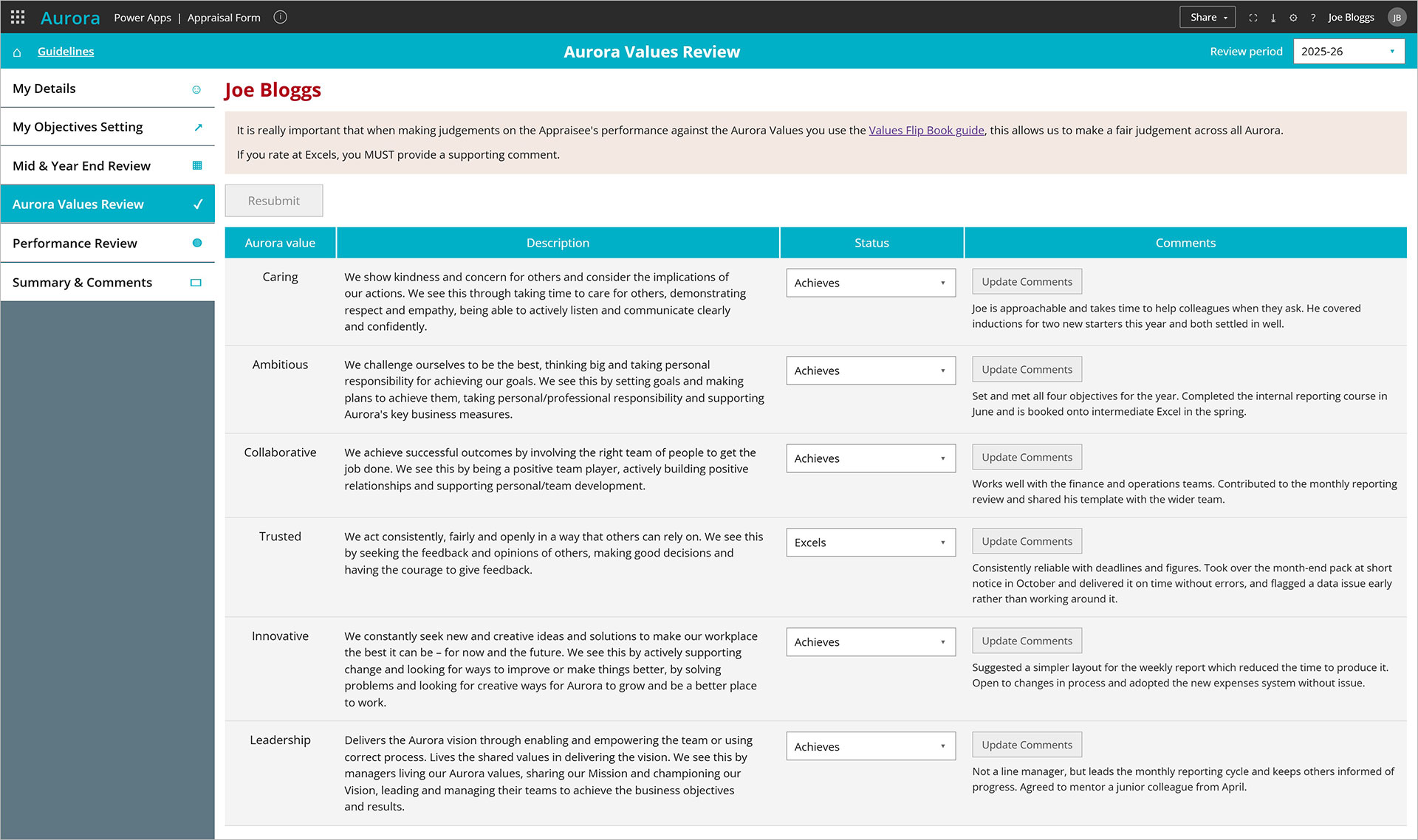
- a screen sequence that mirrors the stages of the original spreadsheet: employee details, objective setting, mid and year end review, values review, professional performance review, and a final summary, so the change for users is what they are working in, not what they are being asked to do.
- a permissions model that ties each person’s view to what they should see: appraisees to their own record, managers to their team’s, using the manager relationship already held in Entra profiles rather than a separate access list to maintain
- time bound edit access, added once Aurora identified the need during the build: an appraisee can only edit their record between their review cycle’s start and end date, based on their Active Directory group, with fields locking automatically once the cycle closes and a manual override so designated administrators can extend a specific person’s deadline when there is a genuine reason to
- scoring configuration held in the backend SharePoint lists rather than hard coded into the app, so the objective, values, and performance scores we validated and rebuilt from Aurora’s original spreadsheet formulas roll up into a single overall score, and Aurora’s own team can update the values behind that score each year without needing a developer
- automated reminder notifications at key stages of the process, built with Power Automate, so a review does not stall because a prompt got missed in someone’s inbox
- a wellbeing check-in, added after the initial plan was signed off: appraisees choose from four wellbeing statements after each review meeting and can add a comment, folded into the existing review screens rather than built as a separate page, so the sequence staff already knew stayed intact